I’m paying Claude $20 a month. So is my wife. Except her $20 is split between Netflix, Disney+ and Prime Video.
And whatever new streaming service she signs up for when the latest season of The Summer I Turned Pretty mercifully returns to our screens.
Every couple of months we sit down at the kitchen table and ask the “what are we actually watching?” question, and one of the streaming services gets axed.
The Claude bill sits in there with all of them. Auto-renews on the same day every month. It has never made that list and probably should have, as there are a few things that have been bugging me about it.
I can’t pick the model architecture I’m using. Anthropic picks for me, from their range. No DeepSeek for the hard reasoning problems, Qwen for spreadsheets, FLUX for images. Just Claude, in whatever version they decide to ship that month.
Every prompt I type goes to a server in San Francisco run by a company whose terms of service could quietly change next month.
And I hold TAO. I’m an investor in the largest decentralized AI network in the world, and the AI I actually use every day is closed, centralized, and locked behind one private company’s API.
There’s a stack you can build today, in about 15 minutes, that fixes all of that.
It runs on Bittensor and it’s free or as little as $10 a month for an API. You don’t need to write a line of code.
The three layers in every chat product
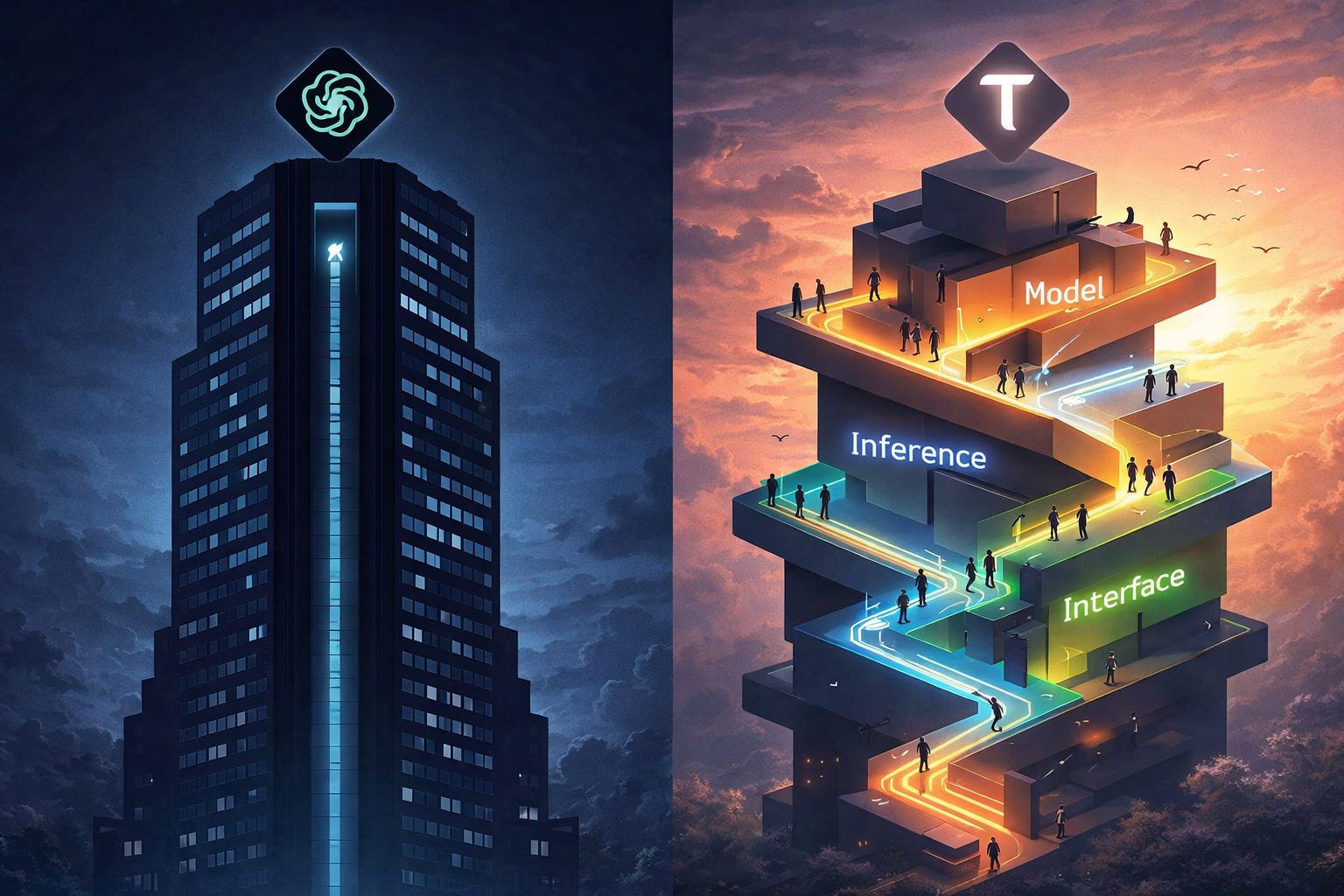
Every AI chat product is three layers stacked on top of each other.
The model. The brain. GPT-5.1, Opus 4.7, DeepSeek-V4, Kimi K2.6, GLM-5.1.
The inference layer. The thing that runs the model on a GPU when you hit send. AWS, OpenAI’s own data centres, or in our case, Bittensor’s network of miners.
The interface. The chat box you actually look at.
ChatGPT (or Claude, Gemini, Perplexity) bundles all three and hands you the result. You can’t change the model or the inference and the interface is non-negotiable.
The anti-ChatGPT move is to pick each layer yourself:
Open-source model.
Bittensor inference (Chutes).
Whatever chat UI suits you.
Where Chutes fits
Chutes is Subnet 64 on Bittensor. It’s what turns subnet emissions into AI you can actually talk to. Open-source models (DeepSeek, Kimi, GLM, Llama) get served by a network of miner-operated GPUs around the world. Validators score the output quality.
You hit send, somewhere a miner runs your prompt and you get an answer back. The TAO you hold is, in part, paying for the GPU you just used.
Chutes is OpenAI-compatible. Anything that speaks OpenAI’s API speaks Chutes. That’s the key that makes every chat app and every browser extension in this post work without code.
A lot of other Bittensor subnets rely on Chutes for their own inference too. It’s a layer the rest of the network builds on.
When a subnet app needs to talk to a model, there’s a good chance Chutes is in the chain somewhere. As an example, Affine (SN120) fine-tunes models on hard reasoning problems, then pushes winners to Chutes where anyone can query them. It does the training while Chutes takes care of the inference. That composition is what the ecosystem is becoming.
A bit of recent history matters here also: until early 2026, Chutes ran a free tier. 200 requests a day for nothing. It was a beta in disguise, kept alive by token emissions.
In February this year, they killed it.
On March 20, they published a blog post called From Volume to Value, explaining they’d cut 45% of their token volume because it was unprofitable and pushed heavy users onto pay-as-you-go.
And on May 19, they did it again. The $3 Base tier is gone. The minimum is now $10 a month.
For some people, that was bad news. For me, it’s the opposite.
Free things on the internet don’t last: real products do. Chutes is becoming a real product and that’s the signal a serious investor should care about.
On Chutes, it lands on a miner’s GPU somewhere in the world. Validators score miner output, but that doesn’t keep your prompt private from the miner running it.
The fix is Trusted Execution Environments (TEE). Many Chutes models run inside one. Think of it like a sealed envelope that only the recipient’s hardware can open. Chutes encrypts your prompt on your end, ships it to a confidential-compute GPU, and the lock only breaks inside the chip. No one in the chain reads it first.
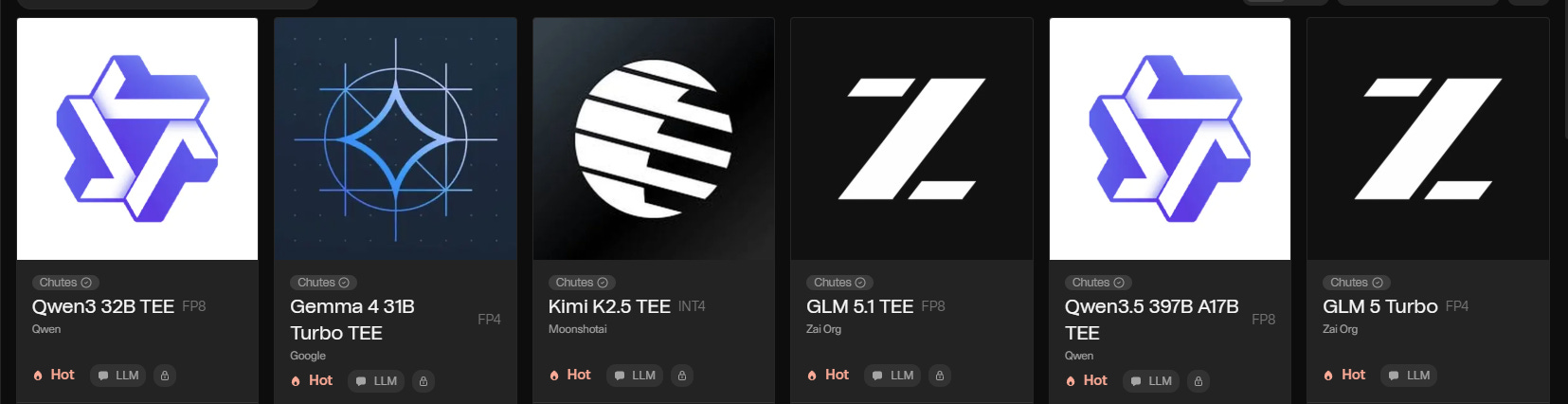
To use it, pick a model with “TEE” in the name. deepseek-ai/DeepSeek-V3.2-TEE, zai-org/GLM-5.1-TEE, moonshotai/Kimi-K2.6-TEE, MiniMaxAI/MiniMax-M2.1-TEE. Same API, same setup.
ChatGPT, Claude and Gemini can’t promise this. The contents of your prompt are physically unreadable by the people running the model.
One caveat: TEE doesn’t make Chutes anonymous. Your account is still linked to your usage. It just makes the contents of your prompts unreadable by the miner.
The Basic Stack: Chutes Chat
The simplest version of the stack is one URL.
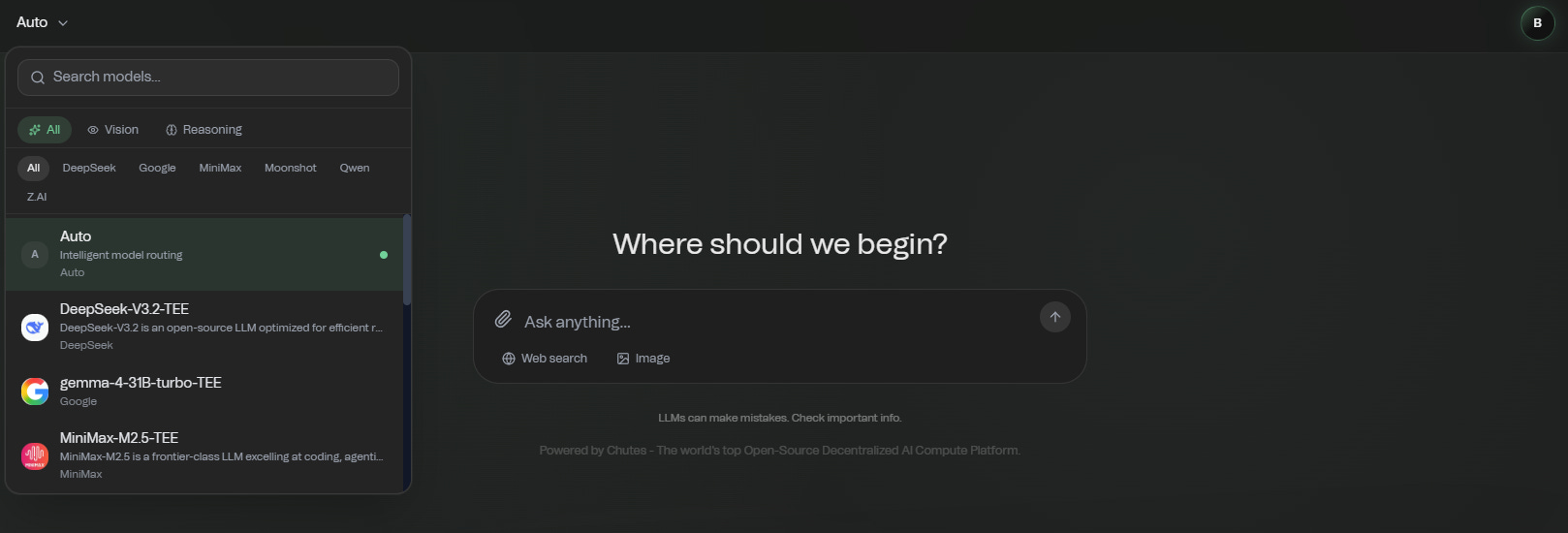
Open chutes.ai/chat That’s the whole stack. No account, no API key, no setup.
Inside that chat, you can:
Switch models mid-conversation. DeepSeek for one question, GLM for the next, no friction.
Use Chutes Search, their built-in web search. Launched recently, this works well enough to replace ChatGPT’s search for most questions.
Generate images with Qwen Image 2512, one of the best open-source image models around.
Upload files. PDFs, documents, whatever you’d attach to a ChatGPT prompt.
Save conversation history and come back to it later.
What you can’t do is build a saved system-prompt library. There is no plugin ecosystem or agents. The UI is theirs, and if they redesign it next month, you’re along for the ride.
If you’re a casual user (a few prompts a day, the occasional image, no power-user setup), stop here. Pocket the $20 a month you used to send Sam Altman.
Bull case: zero friction, real model choice, free. Bear case: you don’t own the interface, and Chutes’ UI doesn’t yet match the polish of ChatGPT/Claude/Gemini.
Get your API key
Ready to push past Chat? Time to set up an account and grab an API key.
Go to chutes.ai. Make an account.
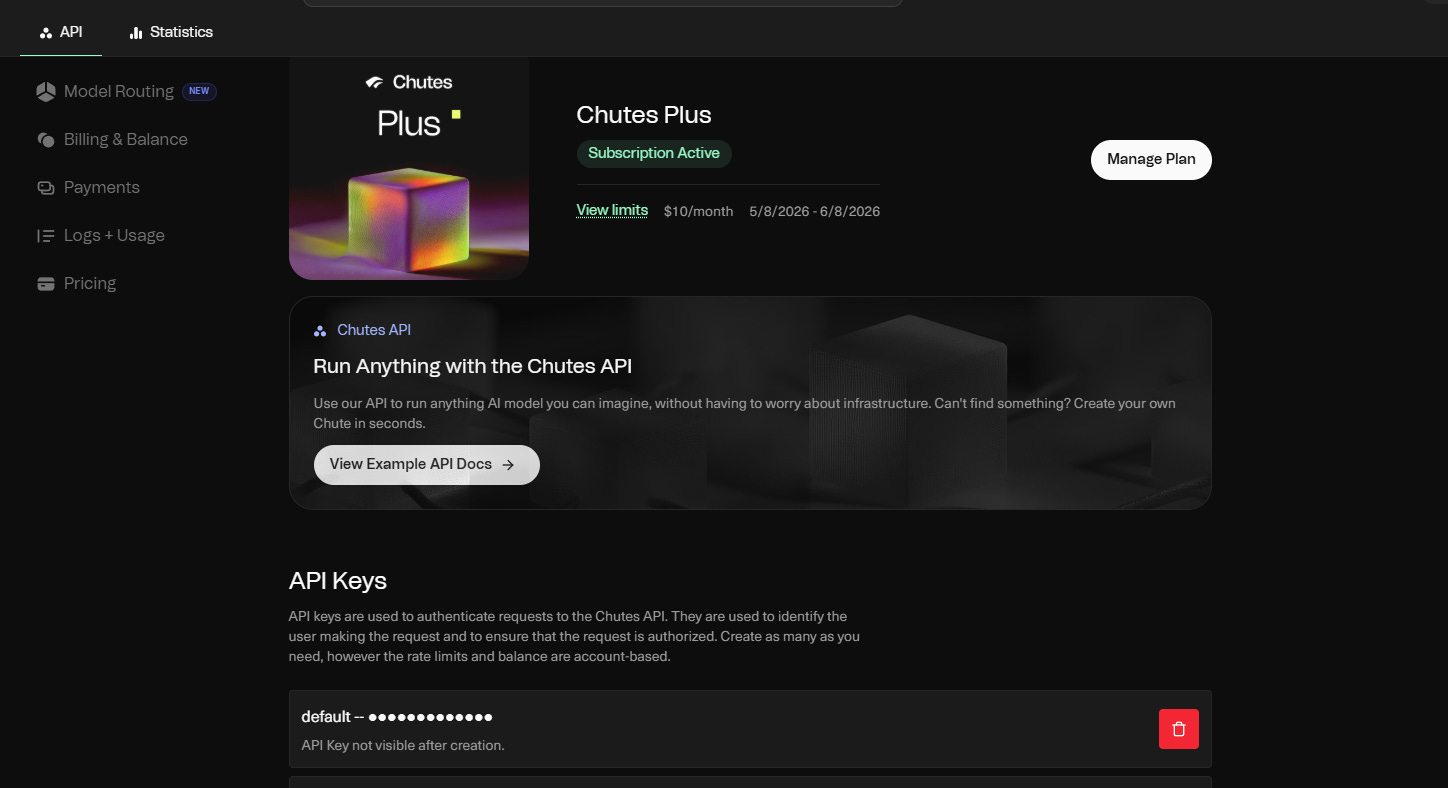
Pick a tier. Plus is $10 a month, Pro is $20. Each gives you up to 5x its dollar value in usage. Start with Plus, you can upgrade later in under a minute.
Generate your API key under the API Keys tab. It starts with cpk_.
Treat it like a credit card number. Don’t paste it into Discord, don’t email it to yourself and (for me) don’t screenshot it for the newsletter.
Your API key is the thing that makes every chat app on the next page work without code.
And on Chutes, this is big value. Ten dollars buys you up to $50 of inference per month. If you go over, you top up with pay-as-you-go credits.
For a few chats a day on open-source models, this cap is invisible. If you’re like me, who is not a coder but can still go pretty hard on research, you’ll never go anywhere close to those limits.
Now you need somewhere to actually use that key. A chat tool that takes your prompts in and renders the outputs back nicely. The one I use is up next, with a few other good options after.
The Advanced Stack: Chutes + TypingMind
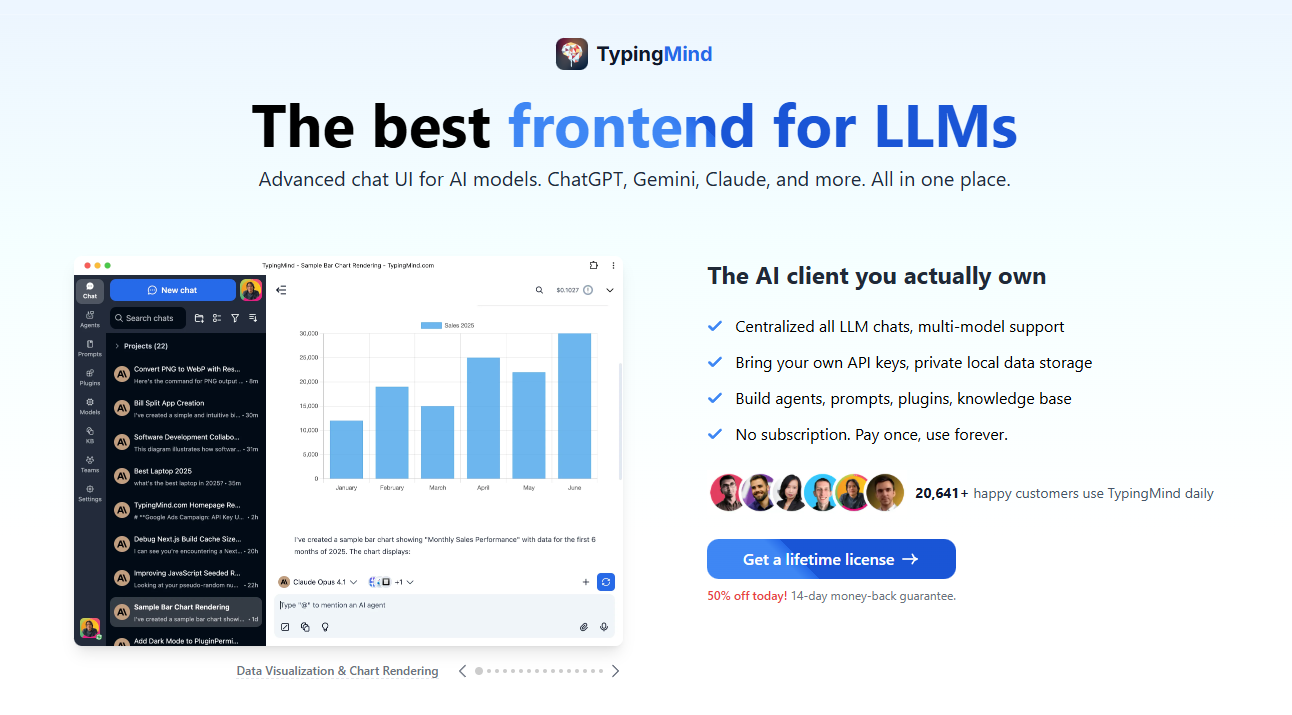
TypingMind is where the stack gets serious.
Why I picked it: this is a one-time license, you own it. Price tiers range from $39-$99 with regular discounts. There is no recurring fee. You still pay Chutes per-token for the actual inference, but the interface is yours for life.
It officially documents Chutes as a supported provider. They have per-model setup pages on their site.
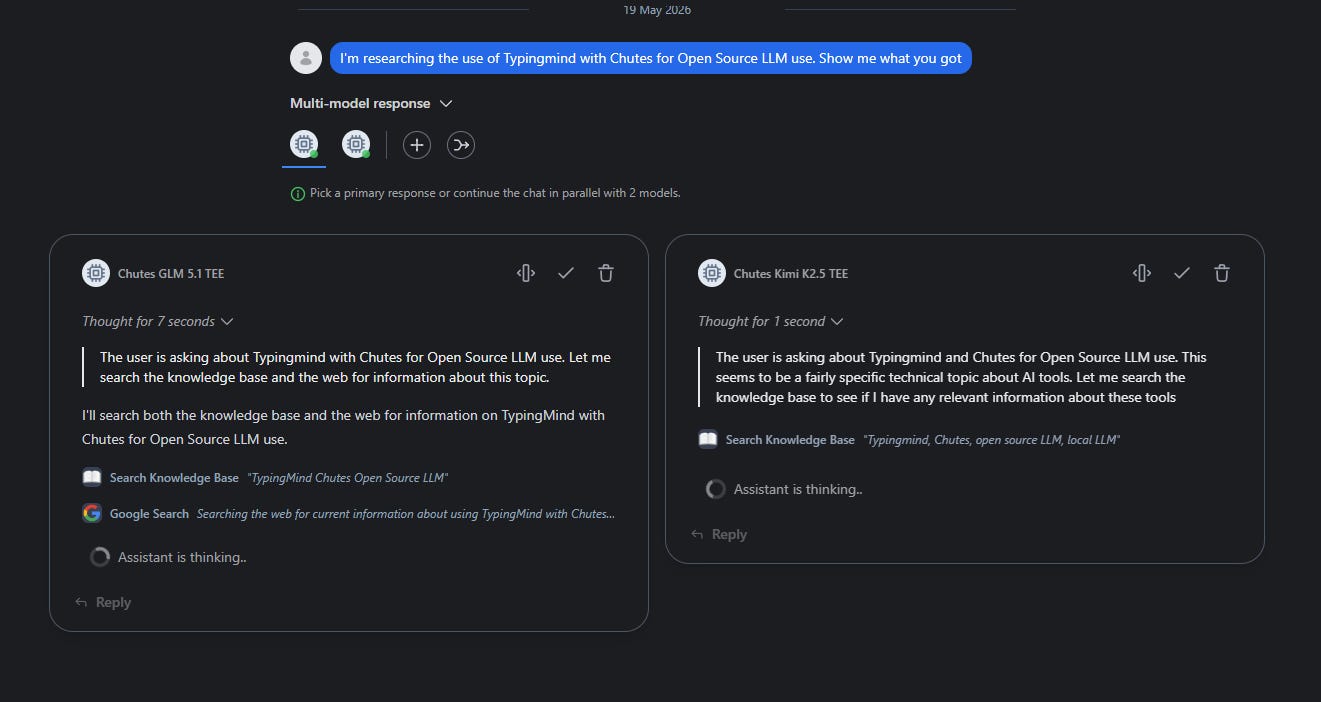
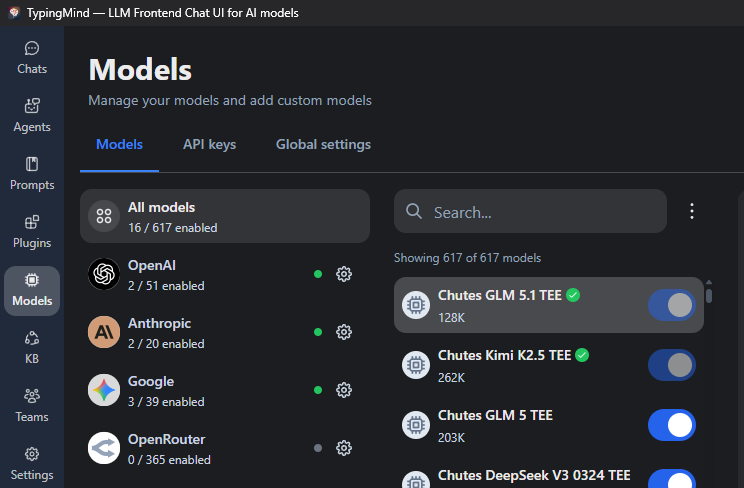
What you get over the basic chat: plugins, agents, vision, function-calling, custom personas, a prompt library you can build over months. Switch between Chutes, OpenAI, Anthropic, and the rest from the same window if you want a multi-provider setup.
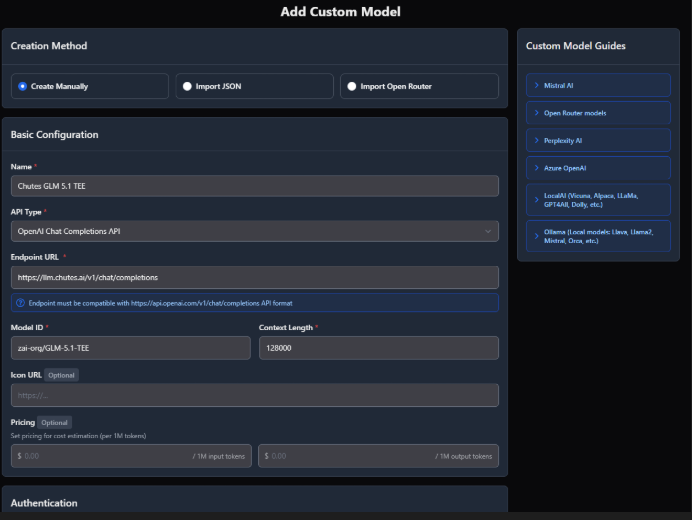
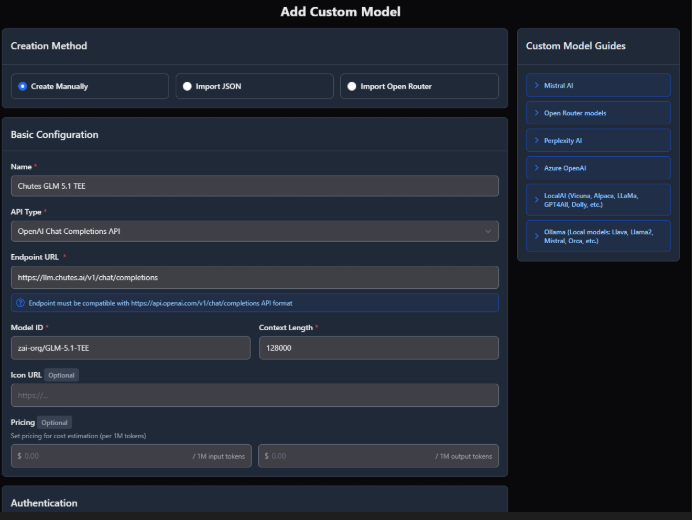
Setup is eight fields.
Open TypingMind. Models → Add Custom Models.
Name: Model name (I prepend with Chutes to be sure where its coming from)
Model ID: copied from the API tab on your chosen model at chutes.ai/app e.g. zai-org/GLM-5.1-TEE
Context length: set per the model also from the API tab.
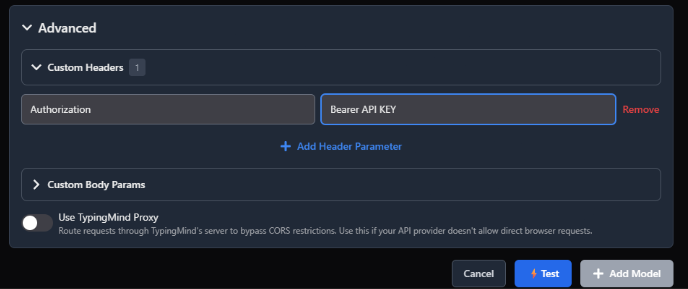
Advanced- Custom Headers: Authorization [tab] Bearer API KEY (insert your API key here)
Hit Test. If it says the endpoint is working, just hit Add Model and you’re in.
My three starter model picks on Chutes:
DeepSeek V3.2 TEE for general work, drafting, summarizing.
GLM 5.1 TEE for creative writing with hardware-level privacy.
Kimi K2.5 TEE for help with spreadsheets, formulas, or any code-flavored task.
The open-source model landscape moves fast. A model you’ve never heard of can leapfrog the top spot in a quarter. Bookmark the Open LLM Leaderboard at llm-stats.com/leaderboards/open-llm-leaderboard and cross-reference what’s running on Chutes at chutes.ai/app. That combination keeps you on the best model available without thinking about it more than once a month.
Other shapes of the same stack
The OpenAI-compatible thing means TypingMind isn’t the only option.
Good alternatives include Msty for a desktop-first local/remote workflow, Chatbox for cross-platform chat with custom endpoints, Page Assist for in-browser sidebar chat, and self-hosted options like LibreChat and Open WebUI.
Two honest Chutes trade-offs
The frontier-model gap is real. On the absolute hardest tasks (deep research, multi-step reasoning, agentic coding), the closed frontier models still pull ahead of the best open-source models on Chutes. For everyday work (drafting an email, summarizing an article, brainstorming, generating an image), the gap is invisible. And you’re not spending $20 a month.
The where-does-my-data-go question is the other one. Honest answer: through a network of GPU miners around the world, ranked by validators. If that makes you nervous, use a TEE model and the contents of your prompts are physically unreadable by the miner running them. Centralized providers don’t offer this at all.
For the absolute best model on a hard, specific job, OpenAI, Claude and Gemini still win. For everything else (which is most things), the anti-ChatGPT stack wins on cost, privacy, and the part where you’re paying the network you’ve already invested in.
When Chutes isn’t enough
Three alternatives to know in case you need them.
OpenRouter. 300+ models, single API key, free tier with rate limits. Best for exploration. Worth knowing: Chutes is one of OpenRouter’s providers, so sometimes you’re paying Chutes through OpenRouter without realizing it.
Groq. A strong choice when speed matters most, thanks to its custom LPU hardware and free developer access.
Together AI. A good alternative if you want a broad but more curated model platform and a practical fallback when you need another provider.
Bittensor isn’t your only ride. But for someone who already holds TAO, it’s the one that makes you a customer of the network you already invested in.
The stack you’ve just built
Run the three layers one more time.
The model: picked. Open-source, your choice, switched mid-conversation if you want.
The inference: Chutes. Bittensor’s network. Your TAO is paying for the GPU.
The interface: chutes.ai/chat if you want simple, or TypingMind if you want to own a serious model-agnostic chat tool.
The deeper move is the one you might not feel for a couple of weeks. You stopped being a passive token holder: now you’re a customer of the network. Your TAO has a job.
One last thing. If you decide to grab TypingMind for the advanced stack, feel free to use my link. Both of us pick up 0.5GB of TypingMind cloud storage at no extra cost. Skip it if you'd rather, the recommendation stands either way.
Until next time.
Cheers,
Brian
Disclaimer: This is not financial advice. I am a writer documenting the Bittensor ecosystem. Always do your own research.
Great piece, Brian. You absolutely nailed the shift from passive token holder to active network customer. That is exactly how this ecosystem matures. Your point on Trusted Execution Environments (TEE) is also spot on. Hardware level privacy is a massive advantage that centralized giants cannot offer right now. Thanks for the highly actionable guide.


Great piece, Brian. You absolutely nailed the shift from passive token holder to active network customer. That is exactly how this ecosystem matures. Your point on Trusted Execution Environments (TEE) is also spot on. Hardware level privacy is a massive advantage that centralized giants cannot offer right now. Thanks for the highly actionable guide.