

I still remember the sweat.
It was 2017. I had just bought my first serious amount of Ethereum. I was moving it from Coinbase to a platform called MyEtherWallet (MEW) to participate in an ICO.
If you weren’t there, it’s hard to describe how primitive it felt. The interface looked like a phishing site. I checked the hexadecimal address probably twenty times. I sent a test transaction. I waited. I sweated. I refreshed the page.
It felt like defusing a bomb.
Crypto in those days was user-hostile by design. It was a test of faith.
Then came the Solana cycle, and with it, the Phantom Wallet. Suddenly, crypto almost felt like using an iPhone.
It was clean and intuitive and showed me my NFTs. It just worked.
That was the moment I realized: adoption happens when the interface becomes invisible.
We’re finally reaching that moment with Bittensor.
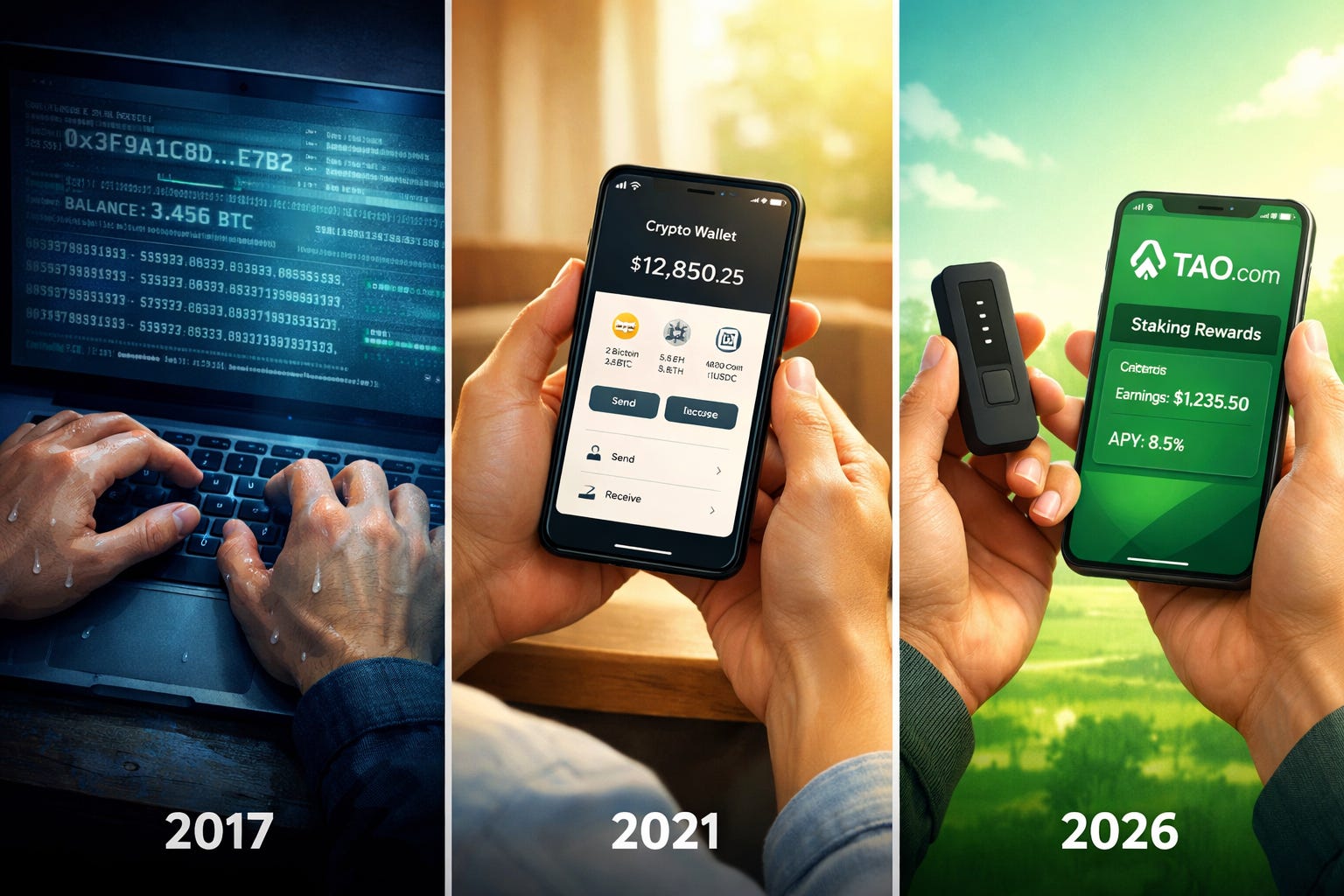
For a long time, interacting with the Bittensor network meant wrestling with command-line interfaces.
It was reserved for developers and people comfortable with terminal windows—which, as a dad who spends his mornings pulling toddlers apart over green and yellow breakfast spoons, is not me.
If we’re building a decentralized world brain to rival OpenAI and Google, it can’t live behind code. It has to be usable by anyone who cares about owning their data.
That begins at the front door: wallets.
There are now four solid wallet options, each claiming to be the best for different reasons. If you’re new, the sheer volume of comparisons can leave you paralyzed.
So I’m going to cut through it.
Not as an expert who’s been here since mainnet launch, but as someone who fumbled through this decision months ago and learned what actually matters.
The Landscape: One Size Does Not Fit All
Unlike Bitcoin, where you generally just hold, Bittensor is a living organism. You want to interact with it.
Your wallet is the controller: stake to subnets, delegate to validators, earn rewards.
The command-line era is ending. But now we face a different problem: choice paralysis.
We finally have a handful of strong options, but the sheer volume of claims and comparisons can leave anyone confused.
Here’s the framework I wish someone had given me when I started: Pick based on where you are now, not where you think you should be.
Below are four wallets mapped to user archetypes. Find the one that sounds like you, start there, and know you can switch later.
The Mobile All-in-One for Everyday Use: TAO.com (iOS)
If you’re new to crypto or new to Bittensor, this is where you should start.
TAO.com is as close as you can get to the official Bittensor wallet, evolving from the original Opentensor Foundation app. It’s iOS only (for now), and built specifically for Bittensor. Not a multi-chain compromise trying to be everything to everyone.
You get FaceID security, a clean portfolio view and a built in fiat on-ramp via Coinbase integration.

Why I like it: It handles the complexity for you.
It prevents you from making silly mistakes (like staking below the minimum threshold). It’s perfect for the person who wants to check their staking rewards while waiting in line for coffee.
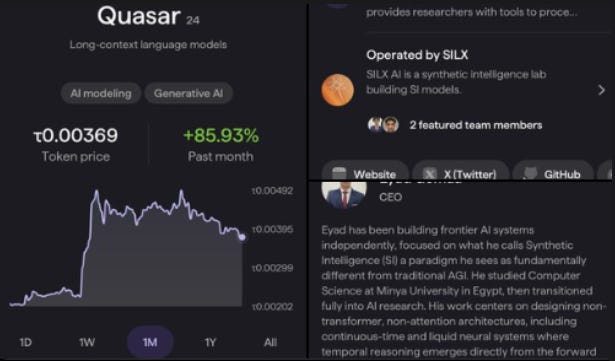
Best feature: Native Subnet exploration. You can click on a subnet and actually see what the team is doing.
The catch: It’s mobile-only and ecosystem-locked. You won’t be storing your ETH here.
The trade-off: You’re giving up some sovereignty for ease. TAO.com controls certain security decisions for you. For most people starting out, this is the right trade. But if you’re holding more than a few hundred dollars of TAO, you’ll eventually want more control.
The Mobile Power User: Nova Wallet (iOS and Android)
If you are on Android, or if you are deep in the Polkadot ecosystem, Nova is the powerhouse.
Because Bittensor is built on Substrate (the same tech stack as Polkadot), Nova treats TAO like a first-class citizen. It is incredibly robust, fast, and feature rich.

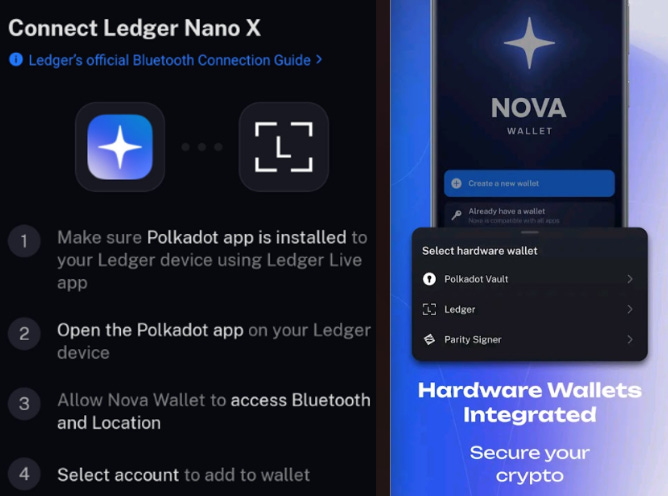
Why I like it: Ledger Support on Mobile.
If you’re holding more than a few hundred dollars worth of TAO, or you’re the type who sleeps better knowing your private keys are in a hardware device that’s never touched the internet, this is your path.
Best feature: Zero-commission staking and phishing protections make it safe and rewarding. The interface is battle tested across the entire Substrate ecosystem.
The catch: It’s a multi-chain wallet, so it can feel a bit noisier than the dedicated TAO.com app.
When to use this over TAO.com: When you’re ready to pair a hardware wallet with mobile convenience, or when you’re already managing Polkadot assets and want everything in one place.
The Staking Automation Specialist: Crucible (Chrome Extension)
Built by Ala Shaabana (Bittensor’s co-founder) and his team. Crucible is designed for the desktop user who treats their TAO as a serious investment vehicle.
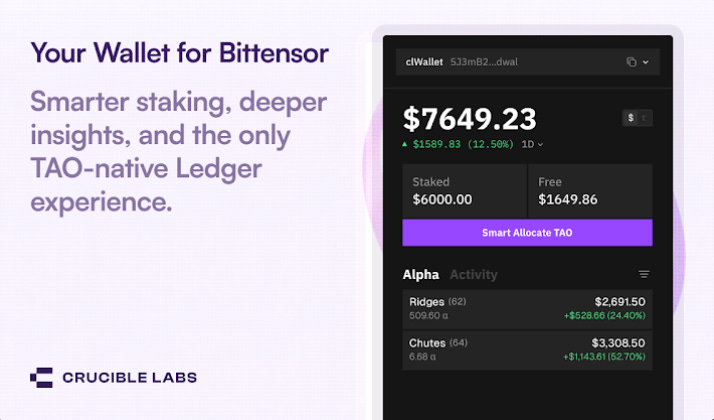
Why I like it: The Smart Allocator.
Staking strategies can be complex. Which subnet is performing best? Should I move my stake? Crucible offers a Smart Allocator that automatically deploys your rewards to the top performing subnets. It effectively compounds your growth without you having to micromanage the dashboard every day.
This is the wallet for people who think of TAO as a position to optimize, not just a token to hold.
Best feature: Custom Staking. You can design your own allocations (e.g., top 10 subnets) or stick to Root.
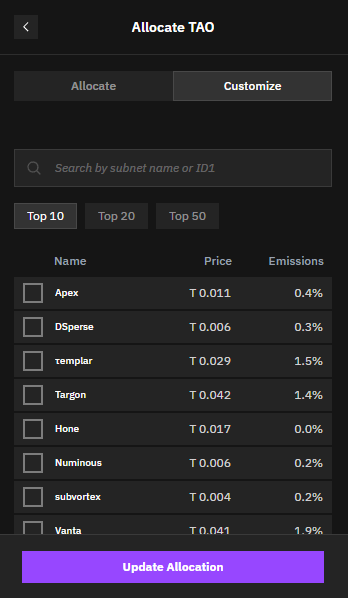
The catch: It’s a browser extension, so no mobile. The Smart Allocator works best with amounts over 15 TAO (smaller amounts work but are slower).
When to graduate here: When you’re checking your staking yields weekly and thinking “I could optimize this.”
The AI-Native Multi-Chain Explorer: Talisman (Chrome extension)
If you are used to MetaMask or Phantom, and you hold assets across Solana, Ethereum, and Polkadot, Talisman is the everything wallet for you.
Talisman is positioning itself as the “AI Wallet.” They are integrating directly with Bittensor Subnet 45 (Talisman AI) to bring AI agent features directly into the wallet experience.
The AI features are still emerging but the integration is real. Cross-chain swaps mean you can move assets without leaving the wallet.
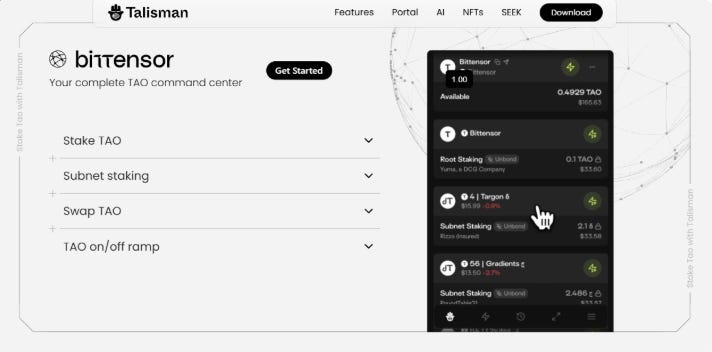
Why I like it: The UI is polished and intuitive. It gives you a unified view of your entire crypto net worth across all chains. It allows you to see your ETH and TAO side-by-side.
Best feature: The Portfolio View. It is arguably the best visualizer of wealth in the ecosystem.
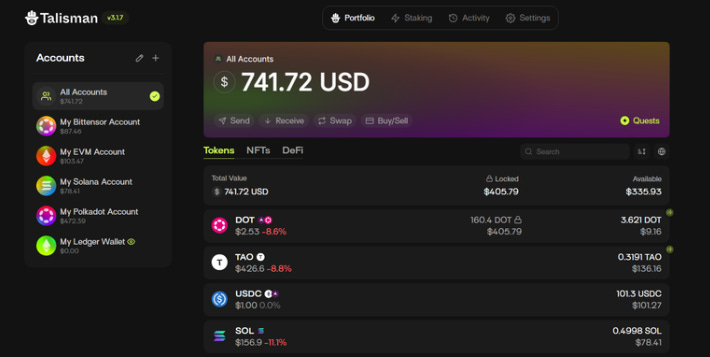
The catch: The AI features are promising but still rolling out. And if all you care about is Bittensor, the multi-chain breadth might feel like overkill.
When this makes sense: If you’re already juggling ETH, SOL, DOT, and TAO and need one pane of glass. Or if you’re genuinely excited about AI agents managing your portfolio in the future. Otherwise, stick with something simpler.
The Decision Framework
Don’t overthink this. Here’s how to decide in 60 seconds:
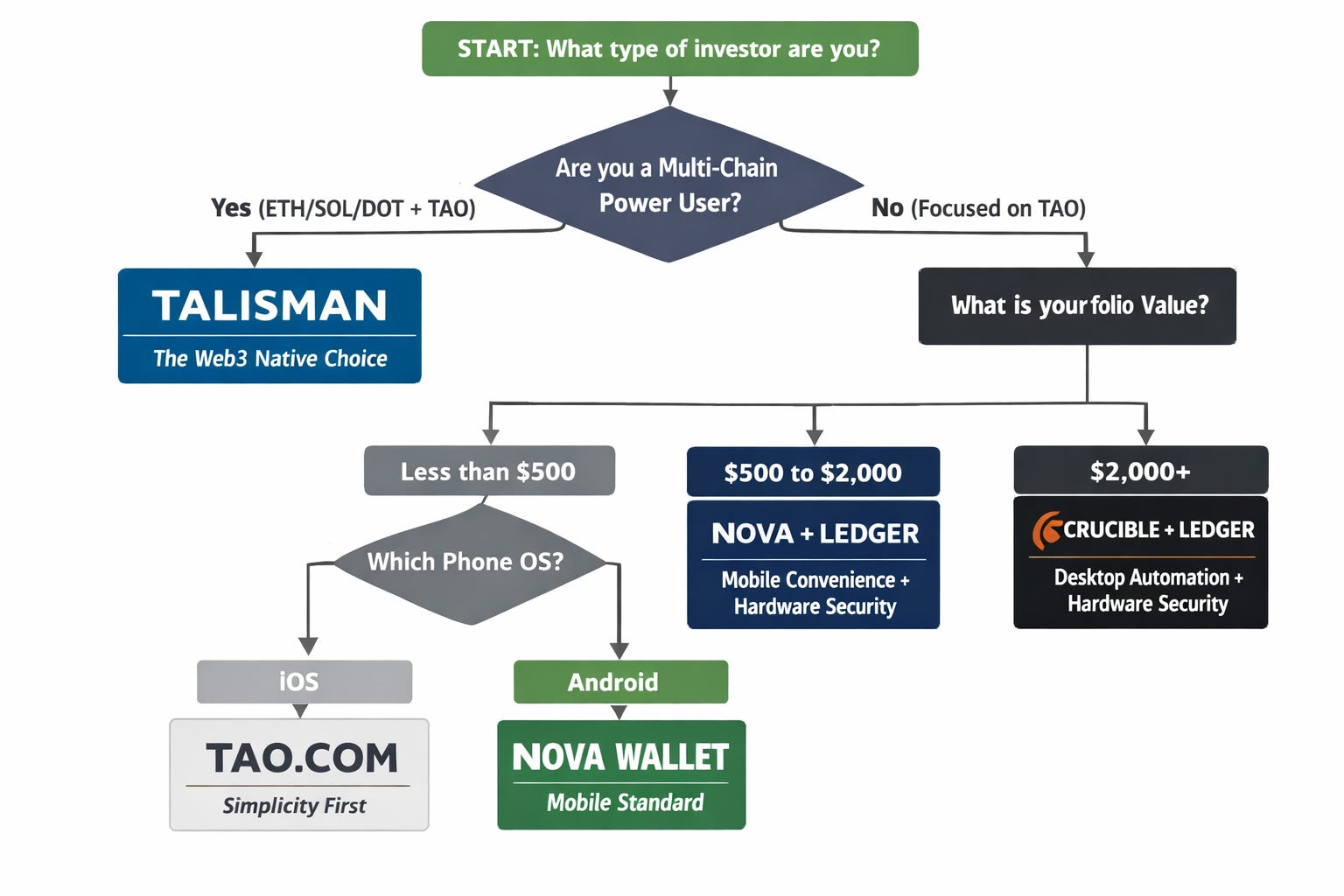
The wallet you choose today doesn’t have to be your forever wallet. I started on MyEtherWallet in 2017 because it was the only option at the time. You can upgrade later.
My TAO Setup: Ledger hardware + Crucible interface (Desktop).
The Ledger is my vault. My private keys literally never touch the internet.
Even if my laptop gets compromised tomorrow my TAO stays safe. The transaction has to be physically confirmed on the device itself.
The Crucible Smart Allocator runs in the background, automatically rebalancing my stake across high-performing subnets. I check in once every few weeks. It’s set it and forget it compounding.
This is the setup that helps me sleep well at night. Maximum security with acceptable flexibility.
Your Three-Step Launch Plan
Step 1: Pick your wallet based on the framework above.
Sixty seconds of honest self assessment saves hours of regret.
Step 2: Download and set up.
Five to ten minutes max. These are designed to be easy.
Step 3: Start small.
Transfer minimal TAO to test. Stake to root or a subnet. Watch the rewards tick up daily. Get comfortable with the flow before you move anything significant.
The Golden Rules
You’ve picked your wallet. You’ve done the test run. You’re ready to move real TAO.
Here’s where most people screw up. Not because they’re stupid, but because crypto punishes small mistakes with large consequences.
Back up your recovery phrase offline.
Write it on paper. Put it somewhere safe. Do not screenshot it. Do not save it in a notes app. Do not email it to yourself.
Why? Because your phone gets backed up to the cloud. Your notes app syncs across devices. Your email gets hacked. And suddenly, the 12 words that control your entire TAO balance are sitting on a server somewhere waiting to be exploited.
If your recovery phrase exists digitally anywhere, it’s not secure.
Use official links.
Phishing is so good now that even experienced people get fooled. Scammers buy Google ads. They register domains one letter off from the real thing. They clone entire websites.
How to avoid this:
Verify URLs before downloading anything.
Bookmark the correct site immediately.
Never click links in Discord DMs or X replies.
If you’re searching for “TAO.com wallet” and the first result is a sponsored ad, keep scrolling.
Understand fees.
Bittensor has transaction fees. They’re usually small (fractions of a TAO), but they add up if you’re constantly moving things around.
Before you confirm any transaction, look at the fee estimate. If it seems high, wait. Network congestion drives fees up temporarily.
Also: unstaking has a waiting period (varies by subnet). Plan accordingly. Don’t unstake everything if you need liquidity tomorrow.
Your Mission
Nine years ago, I sweated through my first wallet setup because I had no choice. There was no easy button. MEW looked like a phishing site because everything looked like a phishing site back then.
Today, you have four viable paths. Each designed for a different stage of the journey. Each with trade-offs that are clear if you know what to look for.
If your TAO is still sitting on an exchange, you aren’t really participating in the network. You’re just a spectator.
Exchanges own the keys. They control staking decisions. They take a cut of your rewards. And if they decide to delist TAO, freeze withdrawals, or get hacked, you’re at their mercy.
The Bittensor ecosystem is complex and that’s exactly why choosing a wallet matters. It turns complexity into action.
Pick a wallet this week. Download it. Transfer a test amount of TAO. Stake it to root. Watch what happens.
Then come back and tell me what your onboarding experience was like. What confused you? What surprised you? What should change?
Wallets are the front door to this ecosystem. Pick one. Walk through. See what happens when you stop being a spectator.
Until next time.
Cheers,
Brian
Great article Brian. I already have Crucible but am short of the 15 TAO currently recommended for the Smart Allocator. Once I get to that level and start the Allocator, I may see about starting up the Talisman wallet once the AI is in effect.
Thanks, Brian. This is a well thought through and easy to understand summary. I currently use a Bittensor wallet with the Mentat Minds platform which I found easy to use. Any reason you didn’t consider this route? I’m now going to reappraise my needs as I think I might diversify my approach. Much appreciated.